Cross-eye
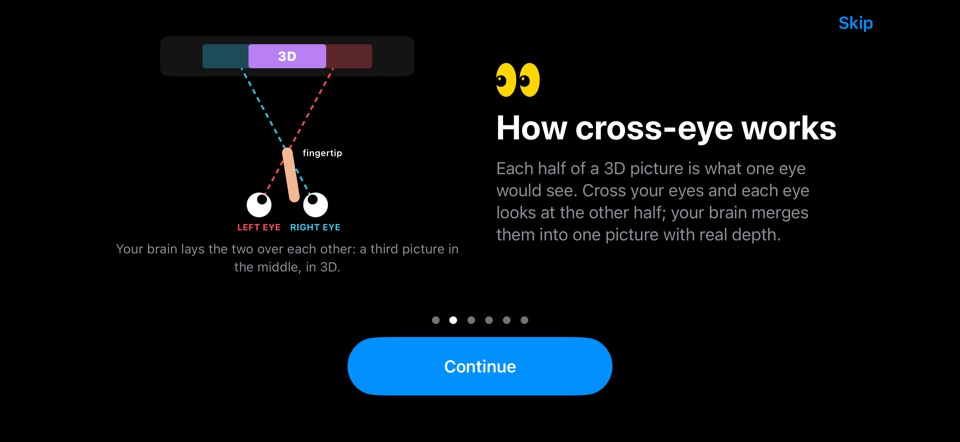
You cross your eyes, with a finger halfway to the screen as a guide, until the two dots become three. New shots open this way.
Guide
A cross-eye 3D picture shows two views side by side. Cross your eyes the right amount and a third picture appears in the middle, in 3D. Give it a few seconds the first time.
StereoCam puts a dot above each picture to help you line them up.
Seeing four dots? Cross a little less. Blurry? Blink and relax. If your eyes get tired, look away for a moment.
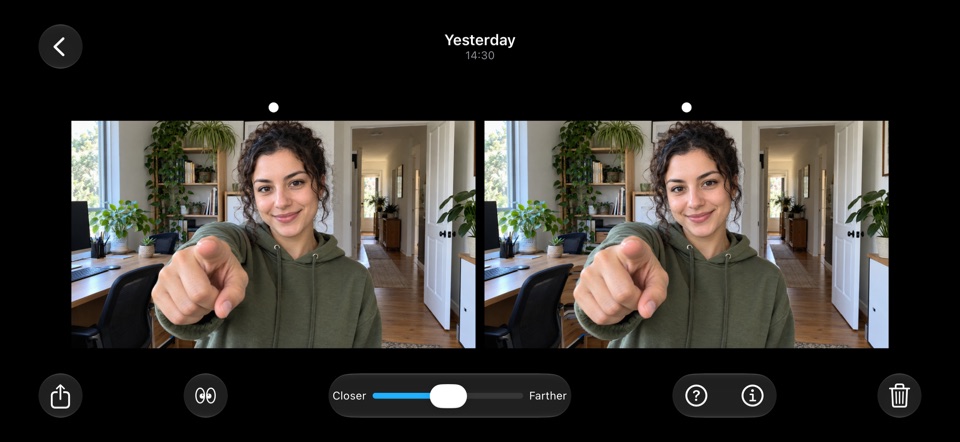
Each half of a 3D picture is what one eye would see.
Cross your eyes and each eye looks at the other half. Your brain lays the two over each other: a third picture in the middle, with real depth.
StereoCam’s tutorial teaches the trick in a minute. The ? button in the viewer, and Settings › How to See 3D, show the guide again.
StereoCam shows every shot in five ways, so you can pick the one that suits your eyes.
You cross your eyes, with a finger halfway to the screen as a guide, until the two dots become three. New shots open this way.
The two halves swapped, for people who relax their eyes and look “through” the screen instead of crossing them.
No eye trick at all: the shot rocks between the two views, so anyone sees the depth.
For red-cyan 3D glasses. Single shows a flat picture.
Share › 3D challenge makes a 9:16 video: the 3D pair with “cross your eyes until the 2 dots become 3”, then the wiggle as the reveal at the end.
Hold the phone at arm’s length, head level. Hold up a finger halfway to the screen and look at its tip, then move the finger until the two dots become three. Keep your eyes there and look at the middle picture: after a few seconds it snaps sharp.
Your eyes are crossed a little too far. Cross a little less until you see three.
In cross-eye view you cross your eyes until the two dots become three. Parallel view swaps the two halves, for people who relax their eyes and look “through” the screen instead of crossing them.
No. Cross-eye and parallel views work with your eyes alone, and a wiggle shows the depth to anyone. Red-cyan is there if you have 3D glasses.
Hold it sideways, keep the level line green and shoot: both rear cameras fire at once.
Wigglegrams from both rear cameras at the same moment, shared as a video or GIF.
Side-by-side 3D video with sound, up to 1080p, from both rear cameras at once.
The wiggle look from your iPhone’s two rear cameras: no film, nothing to develop.
Five 3D camera apps for iPhone, sorted by how they get the depth.
Get StereoCam, shoot something an arm’s length away and open it in Cross-eye view. The tutorial teaches the trick in a minute.
iPhone 11 or later · iOS 16+ · No account, no ads